Configuration
Postulo is configured from the environment. Values are read from a .env file in the
project root, or from real environment variables, which take precedence.
.env.example in the repository lists the common ones. Nothing here is required in
development; POSTULO_SECRET_KEY is required in production and the application refuses
to start without it.
Core
| Variable | Default | What it does |
|---|---|---|
POSTULO_SECRET_KEY |
— | Signs sessions and tokens. Required in production. Changing it logs everyone out. |
POSTULO_DEBUG |
false (true in development) |
Never enable on a reachable instance: it exposes settings and stack traces. |
POSTULO_ALLOWED_HOSTS |
localhost,127.0.0.1 |
Comma-separated hostnames this instance answers to. |
POSTULO_CSRF_TRUSTED_ORIGINS |
empty | Comma-separated origins including the scheme, e.g. https://postulo.example.org. Needed behind a reverse proxy. |
POSTULO_TIME_ZONE |
Europe/Paris |
The instance default. Each person can override it in their own settings. Also changeable under Server settings → Defaults when this variable is not set. |
POSTULO_LOG_LEVEL |
INFO |
Standard Python levels. |
POSTULO_ADMIN_URL |
empty | Where Django's admin lives, and whether it exists at all. Empty means it is not mounted, which is the default: Postulo's own Server settings covers what an operator needs, and an admin nobody mounted is an admin nobody can guess at. Set a path of your own to turn it on — it holds accounts, invitations and token metadata and no person's records, only a superuser has anything in it, and it has no login of its own, and sends you through Postulo's sign-in. A missing trailing slash is added for you. See Hardening. |
POSTULO_SOURCE_URL |
https://source.tiagoagueda.com/postulo/postulo |
Where Source code, at the foot of every page, points. Set it if you run a modified Postulo: the AGPL entitles the people who use it over the network to its source, and this link is where that offer is made. Must be an http:// or https:// address with a host; start-up refuses anything else (postulo.E006), an empty value included — unset it to point at the upstream repository. |
POSTULO_LEGAL_NOTICE_URL |
empty | Your legal notice — an imprint or contact page, which some countries require of a site (Germany's Impressum). Linked as Legal notice at the foot of every page when set, and nowhere when not; Postulo never guesses who runs an instance. Must be an http:// or https:// address with a host, or start-up refuses (postulo.E007). |
Settings changed from the interface
Policy — whether registration is open, whether robots.txt is honoured, the default time
zone, the instance's name, tagline and motto, the language new accounts start with — can be
changed by an administrator under Server settings without touching the environment.
Several of those have an environment variable as well, marked in the tables above —
keeping captured pages and the largest rendering kept among them; when
the variable is set, it wins, and the page shows the value read-only and says which
variable pinned it. Leave policy out of .env if you would rather change it from the
page. Infrastructure — secrets, the database, hosts, TLS — stays in the environment.
The foot of every page
Every page ends with one small line: this instance, then what it runs on and where to
find more. The instance's name, and its motto when it has one, both set under
Server settings → Defaults (the tagline there is the home page's, not the footer's); an
instance with no motto says Postulo's own, “your job search, your data”. On a phone that
first part is left out and the line starts with the links. Powered by Postulo, to
everybody, without the version, linking to the releases (see
Hardening).
Source code, pointing at POSTULO_SOURCE_URL. Help, this wiki. Legal
notice, only when POSTULO_LEGAL_NOTICE_URL is set. Every link leaves the instance and
opens beside the page; nothing in the footer is fetched from anywhere, and it never asks for
money.
Which languages this instance offers
Postulo ships a lot of languages, and an instance does not have to offer all of them. Under Server settings → Defaults, Languages this instance offers is a list of tick boxes, each with its flag and, under the name, a bar showing how far its translation has come: green for the strings a speaker has reviewed, amber for drafts nobody has read yet and grey for what is not translated, with the three counts written beside it. Untick one and it stops appearing in everybody's language picker. A language is listed under its whole name, region included — français (France) — however far its translation has come.
Everything is offered until you narrow it, and leaving it that way is the setting rather than the absence of one. While nothing has been narrowed every box is ticked — on a new instance as on one that saved the page that way — and saving the page as it stands changes nothing. An instance that offers all of them keeps offering all of them, including a language a later release of Postulo adds — which a list naming every language today could not do, because it would have been frozen on the day somebody first saved the form. Tick them all and it goes back to that state.
Narrowing never rewrites anybody's choice. Somebody whose profile says French, on an instance that stops offering French, reads it in the instance's default language from their next page onwards — but the stored setting is left exactly where it is, and offering French again puts them back in French without their having to notice either event.
A person who has chosen no language reads Postulo in the instance's default language,
whatever their browser asks for; only somebody who is not signed in is read by the browser,
within the offered languages. The first choice of each menu names what it stands for — for
example Deutsch de — Default or Europe/Paris — Default. Under Server settings → Defaults
it is the built-in fallback (POSTULO_TIME_ZONE, and British English); under Settings →
Language and time it is the instance default set there, and In force now names the
language. This matters more
than it sounds: an operator narrowing a list of thirty-nine to four would otherwise rewrite
every account that had chosen one of the other thirty-five, and there is no undo for that.
A language offered in several forms is one entry with its forms beneath it. Portuguese, Spanish, French and English are offered by country and Chinese by script, and every language menu — Settings → Language and time, the language new accounts start in, a document's language — shows each of them once, under its own name: Português over Portugal and Brasil, 中文 over 简体中文 and 繁體中文. Narrow the list to one form of a language and that form is an ordinary entry again, under its whole name. The box above a long list finds a language by its own name, its English one or its name in the language the page is in, so German finds Deutsch.
A browser that asks for a language and not a form of it is given the form most of its
speakers use: pt is Brazilian Portuguese, es Mexican Spanish, fr French as in France,
en British English and zh Simplified Chinese. A browser that names a form — pt-PT,
es-ES, en-CA — is given that form. Where the instance does not offer the form asked for,
a visitor is given another form of the same language before the default: an instance that
offers only European Portuguese gives pt European Portuguese, not its default.
Two saves are refused, and both say why:
- Offering nothing, which leaves nobody able to read anything.
- Withdrawing the language new accounts start in. The message names that language and says to change the default first, rather than only saying no.
A refused save changes nothing, and leaves the card above it — the instance's name, and the language and time zone a new account starts in — showing what is stored.
An administrator is not exempt from the narrowing: what the instance offers is what the instance offers. Two rules where one will do is how the two drift apart.
A language that a later release of Postulo removes is passed over rather than breaking the picker — the same way a dashboard widget whose key no longer exists is.
Database
| Variable | Default | What it does |
|---|---|---|
POSTULO_DATABASE_URL |
SQLite at data/postulo.sqlite3 |
A database URL. For PostgreSQL: postgres://user:password@host:5432/postulo (install it with uv sync --extra postgres). |
SQLite is a perfectly reasonable choice for a personal instance, and makes backups a single file copy.
Postulo opens a SQLite file in write-ahead log mode with immediate transactions
and a twenty-second wait, so the image's several workers take turns rather than one of
them failing with database is locked when two write at once. Two small files sit
beside the database while it is open, postulo.sqlite3-wal and -shm; they belong to
it, and manage.py backup copies the database through SQLite's own backup API rather
than copying the file, so a backup taken while the instance runs is a consistent copy.
An option you set yourself in the database URL is kept.
The city table behind the companies' map
| Variable | Default | What it does |
|---|---|---|
POSTULO_GEOLOCATIONS_DIR |
jobs/data beside the code |
Where the offline city table the companies' map places locations from is read and written. In the image it is data/geonames on the data volume, because the running container does not write to its own image. The image's entrypoint follows it. |
POSTULO_SKIP_GEONAMES |
unset | Set to 1 and the image does not download the city table at first start. Put geonames-cities1000.txt and geonames-countryinfo.txt in the directory above by hand, or leave the map without them. |
POSTULO_GEONAMES_POSTCODES |
unset | Set to 1 and the image also downloads GeoNames' postal codes (about 20 MB) with the city table, so an address is placed at its postcode rather than its town. The same as manage.py fetch_geonames --postcodes. |
The table is GeoNames' list of the cities above a thousand inhabitants, a few megabytes
of reference data, and it is not in the repository: manage.py fetch_geonames
downloads it in place, checked before anything is replaced. The image's entrypoint does
that on first start-up when the volume has no table yet. A postal address is placed at
its town from it when the address is saved, and at its postcode where the postal codes
were downloaded too (--postcodes, CC BY 4.0; for Canada, the Netherlands and the United
Kingdom only the first part of a code). Without the table an address is simply not placed —
the map says so plainly, and an address whose town the table does not know is one the map
does not draw, with the list beside it still saying where the companies are. The terms it is carried under are in
src/postulo/jobs/data/GEONAMES-LICENCE.md, and the registry's line for it in
THIRD-PARTY.md.
Switching the map off
The companies' map is one feature, Maps (maps), and an administrator
can switch it off, for one person or for the whole instance, under Server settings →
Plugins. Off, the Map button and the map page (a 404) are gone, an address saved is no
longer placed, and nothing offers to place one by hand. Nothing is deleted: every point
already stored, and whether it was placed from the tables or by hand, stays where it is, and
switching it back on draws it again. An address changed while the map was off is drawn where
its new words say, from the tables, without writing anything.
Places come from the table above, never from a geocoding service.
The map's tiles
The map is drawn by Leaflet, served from the instance, over tiles chosen here or under Server settings → Plugins → Maps → Settings. The variables, when set, win over the page.
| Variable | Default | What it does |
|---|---|---|
POSTULO_MAP_TILES |
osm |
osm: OpenStreetMap's public tiles, fetched by each viewer's browser. custom: the address below. none: no tiles, the world's outline drawn from the instance, nothing fetched. Anything else and start-up refuses (postulo.E001). |
POSTULO_MAP_TILE_URL |
empty | With custom: an https:// address, or a path on the instance's own address, holding {z}, {x} and {y}, such as https://tiles.example.org/{z}/{x}/{y}.png. {s}. at the start of the host stands for Leaflet's subdomains. An address that is not one is refused by the page and named by start-up (postulo.E042); the map then draws no tiles. |
POSTULO_MAP_TILE_ATTRIBUTION |
empty | With custom: the credit the tiles' licence asks for, shown as plain text at the end of the footer's line over the companies map, beside Leaflet's. |
What OpenStreetMap learns. With the default, the browser of everybody who opens the
map asks tile.openstreetmap.org for the tiles in view, so the foundation's servers see
that browser's address and the area it looks at, which is roughly where that person's
companies are. They are sent the instance's address as the page asking, never the page.
The credit, © OpenStreetMap contributors, is drawn on the map, as the tile usage
policy asks. Those servers are run
by volunteers and may block heavy use without notice, so an instance with many people on
it should use a tile server of its own. Tiles on the instance's own address send nothing
anywhere; none sends nothing at all.
Only the map page's content security policy names the tile server; every other page keeps images to the instance itself. Decided in #700, and the default reversed in #898.
Street look-ups
By default an address is pinned at its postcode or its town, worked out on the instance. With street look-ups on, an address that has a street is pinned at that street, using a geocoding service. Choose it here or under Server settings → Plugins → Maps → Settings, where switching it on needs a box ticked to give consent. A choice set in the environment counts as that consent. (#913)
| Variable | Default | What it does |
|---|---|---|
POSTULO_GEOCODER |
empty (off) | off, nominatim, photon or addok. Anything else, and start-up names it (postulo.E043). |
POSTULO_GEOCODER_URL |
empty | The service's base address, such as https://photon.example.org. With nominatim and nothing here, OpenStreetMap's public instance, https://nominatim.openstreetmap.org, is used. Photon and addok need one. An address that is not a base address is named by start-up (postulo.E044). |
What is sent. The scheduler looks up one address a second, and spends at most a minute on it per pass. It sends the parts of the address: street, postcode, town, region and country. It never sends who the address belongs to. It looks up every company's address, and a person's own address or a contact's only when that address is shown on the map. Those are personal data, and the Nominatim usage policy asks not to be sent any, so an instance with people on it should run a geocoder of its own:
- Photon: one country's data is a few gigabytes.
- addok: France's Base Adresse Nationale, also served at
https://data.geopf.fr/geocodage.
When. Addresses saved before look-ups were switched on are worked through the same way. A pin placed by hand or from Wikidata is never changed. A busy service is tried again an hour later. A service that answers 401 or 403 stops every look-up, and the settings page says so until it is saved again.
Logs
| Variable | Default | What it does |
|---|---|---|
POSTULO_LOG_DIR |
data/logs |
Where the log file is kept, so Server settings → Logs can show it. Empty keeps no file. |
POSTULO_LOG_MAX_BYTES |
5242880 |
How large the file grows before it rotates. Every Postulo process writes this one file (the web workers, the scheduler, the worker), and they rotate it one at a time, so one rotation is one rotation however many are writing. |
POSTULO_LOG_BACKUPS |
3 |
How many rotations are kept. Five megabytes each, so about twenty across four files by default. |
POSTULO_LOG_LEVEL |
INFO |
How much is written, to the file and to the console alike. |
POSTULO_LOG_FORMAT |
simple |
What the console gets. simple is a line a person reads under docker logs; json is the same one-object-per-line the file keeps, for a console that something parses. The file is always JSON. |
POSTULO_METRICS_ENABLED |
false |
Serve Prometheus metrics at /metrics. Off, that address is a 404. |
POSTULO_METRICS_TOKEN |
empty | A bearer token for /metrics. Empty means anybody who can reach the instance can read them. |
POSTULO_LOGS_ENDPOINT_ENABLED |
false |
Serve the log at /logs for a collector. Off, that address is a 404. |
POSTULO_LOGS_TOKEN |
empty | The bearer token a collector must present. With the endpoint on and this empty, it refuses to serve. |
POSTULO_UPDATE_CHECK |
false |
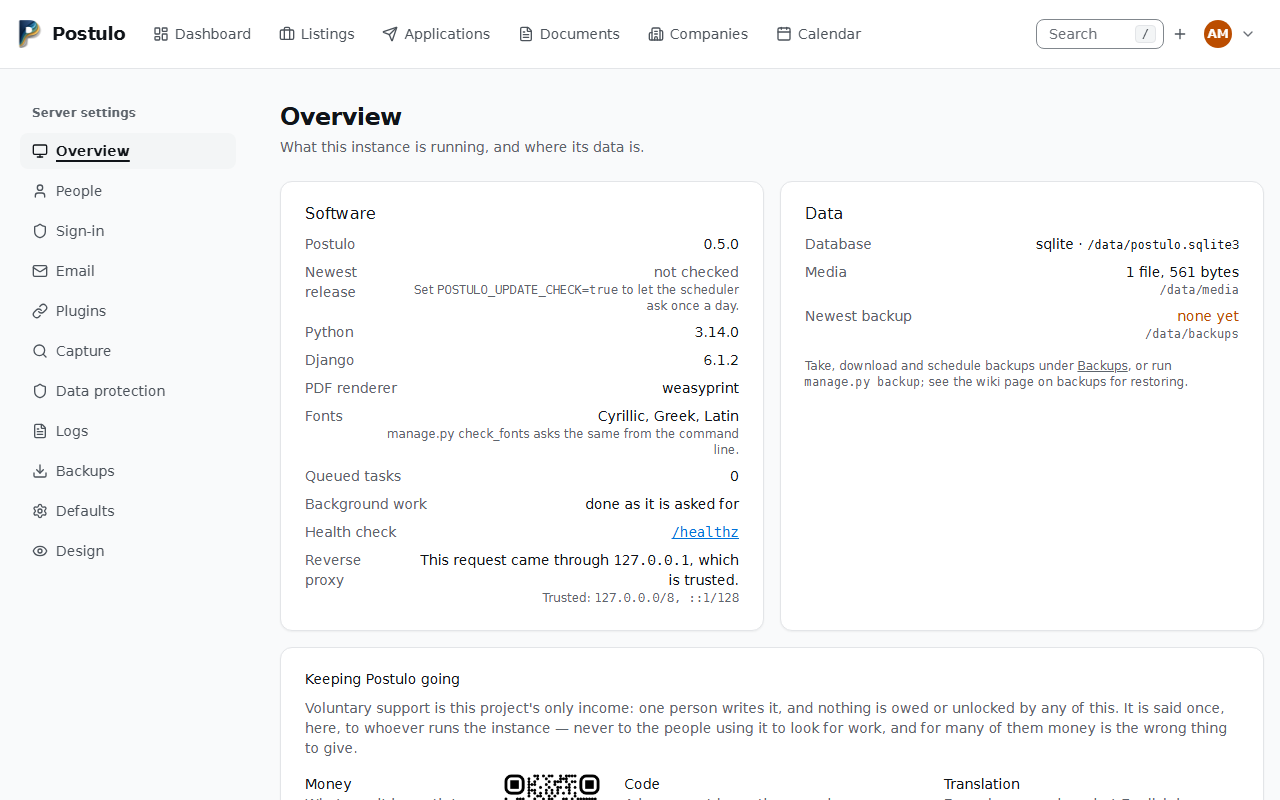
Let the scheduler ask, once a day, whether a newer release exists, and show the answer on Server settings → Overview. One request to POSTULO_UPDATE_SOURCE and to nothing else, never from a page. manage.py check_for_updates asks now. |
POSTULO_UPDATE_SOURCE |
the project's releases API | Where that question goes. A Forgejo or GitHub "latest release" address. |
Every request is given an id, carried as request_id in every log line written while
answering it and echoed in the response's X-Request-ID header; gunicorn's access line
ends with the same id. A proxy that sets X-Request-ID on the way in gets its own id
back, so long as it is made of letters, digits and . _ : - and is under 200 characters.
A scheduler pass and a background errand carry an id of the same kind, pass-… and
errand-<number>, so their lines can be told apart from a day of passes.
The configuration is checked before the first request. A word outside a setting's
vocabulary (POSTULO_EMAIL_SECURITY, POSTULO_EMAIL_AUTH, POSTULO_PDF_BACKEND,
POSTULO_LOG_FORMAT), a rate that is not <times>/<s|m|h|d>, or a POSTULO_PUBLIC_URL
without a scheme and a host, stops the container at manage.py check in the entrypoint
with a message naming the variable and what it accepts, rather than surfacing at the first
message, export or throttled request.
Records go to the console exactly as before, so docker logs is unchanged. The file is the
same records as one JSON object per line, which is what makes the page able to filter them
and what a log collector can read without guessing.
Behind a proxy
| Variable | Default | What it does |
|---|---|---|
POSTULO_TRUSTED_PROXIES |
127.0.0.0/8,::1/128 |
Which addresses may set X-Forwarded-Proto and X-Forwarded-For. Comma-separated CIDRs. Empty trusts nothing. |
Only this host is trusted until you name your proxy's network. Behind Docker, a proxy on the host arrives from the Docker network's gateway and a proxy container from that network; Server settings → Overview shows the address the current request came from and whether it was trusted, which is the value to write. Everything about why is on Hardening.
The web server
| Variable | Default | What it does |
|---|---|---|
GUNICORN_CMD_ARGS |
--timeout 120 --max-requests 500 --max-requests-jitter 50 |
Options for gunicorn itself, read as if they had been typed on the command line. |
This is gunicorn's variable rather than one of Postulo's, and it is the only lever over how the image's web server runs. Setting it replaces the default above, so repeat anything you want to keep. The bind address, the worker count and where the logs go are in the image's own command and are not affected by it; nothing in that command is repeated here, so the two can never argue about the same flag.
--timeout 120 rather than gunicorn's own thirty seconds. Thirty is a generous budget for a
page and not one for drawing a PDF: a CV rendered through Chromium on a Raspberry Pi can take
longer than that, and the worker was killed part way through — no answer for the person who
pressed the button, and nothing in the log but a silent restart. Raise it further if your
machine is slower than that; lower it if nothing on your instance renders.
--max-requests 500 --max-requests-jitter 50 retires each worker after roughly five hundred
requests. Not because anything is known to leak, but a Python process answering one person's
instance has no reason to run for months. The jitter keeps the three workers from retiring
together and leaving nobody to answer.
# docker/compose.yml, under the postulo service
environment:
  GUNICORN_CMD_ARGS: "--timeout 300 --max-requests 500 --max-requests-jitter 50"
Three workers suit a personal instance, and more of them do not make one slow request faster. What keeps a slow request from blocking the others is not the worker count: the views that do something slow — capturing a posting, rendering a PDF, building an export — run outside the request's transaction, so they take the database's write lock only for the moment they actually write. See Database for why that matters on SQLite.
Cache
| Variable | Default | What it does |
|---|---|---|
POSTULO_CACHE_URL |
A table in Postulo's own database | Where the cache lives. redis://localhost:6379/1, rediss://… and memcache://localhost:11211 all work. |
Postulo keeps the counts behind its rate limits here — how often a password has been got wrong, how often a reset has been asked for — so the cache has to be one that every worker shares and that survives a restart. The default does both, and its table is made by a migration, so there is nothing to set up. Redis or Memcached is faster and behaves the same way. Pointing this at a per-process cache is the one thing to avoid; see Hardening.
Accounts
| Variable | Default | What it does |
|---|---|---|
POSTULO_REGISTRATION_OPEN |
false |
When false, the only way in is an invitation. Also changeable under Server settings → Sign-in when this variable is not set. See Accounts and invitations. |
Passkeys
There is nothing to configure. Passkeys are offered wherever the browser allows them, which
means an instance served over HTTPS, or localhost while you are developing. Over plain
HTTP the browser refuses them and the account page says so.
A passkey is registered against the hostname the browser is on and against the instance name from Server settings → Defaults, which is what a password manager shows in its list. Changing the instance name is safe and only affects passkeys made afterwards; changing the hostname makes every existing passkey unusable at the new one.
Single sign-on
Optional. Set the first three and a button appears on the sign-in page; leave them unset and nothing changes. See Accounts and invitations for how accounts are linked and who may be created.
| Variable | Default | What it does |
|---|---|---|
POSTULO_OIDC_SERVER_URL |
empty | The provider's issuer URL — where /.well-known/openid-configuration lives. For Authentik: https://auth.example.org/application/o/postulo/. |
POSTULO_OIDC_CLIENT_ID |
empty | The client (application) id registered with the provider. |
POSTULO_OIDC_CLIENT_SECRET |
empty | Its secret. |
POSTULO_OIDC_NAME |
Single sign-on |
What the button says. |
POSTULO_OIDC_AUTO_SIGNUP |
false |
Whether the provider may create accounts. Off: existing accounts only. |
POSTULO_OIDC_LINK_BY_EMAIL |
false |
Whether an address the provider says it has verified signs somebody in to the account holding it. Off (the default since 0.6.0): each person connects the provider from their own account page. A start-up check warns while a provider is configured and this is unset. |
POSTULO_OIDC_IS_SECOND_FACTOR |
false |
Whether arriving through the provider counts as the second factor, so no code is asked for as well. Also under Server settings → Sign-in. |
Turning POSTULO_OIDC_LINK_BY_EMAIL on means this instance takes the provider's word that
somebody proved they hold an address. That is safe for a provider you run and worth checking
for one you do not; Hardening has the question to ask.
Register the callback the provider must send people back to, shown under Server
settings → Sign-in: https://your-host/accounts/sso/oidc/login/callback/. It must match
what the browser reaches exactly, scheme, host and port included. Behind a reverse proxy,
POSTULO_ALLOWED_HOSTS and POSTULO_CSRF_TRUSTED_ORIGINS need the same host.
Storage
| Variable | Default | What it does |
|---|---|---|
POSTULO_MEDIA_ROOT |
data/media |
Where uploaded and generated documents are kept. Never serve this directory from your web server. |
POSTULO_BACKUP_DIR |
data/backups |
Where manage.py backup writes when given no target. /app/data/backups in the container. See Backups and your data. |
POSTULO_BACKUP_UPLOAD_MAX_MB |
512 |
The largest archive Server settings → Backups accepts to restore from. Checked before any of the file is kept; a reverse proxy in front has its own, smaller limit that has to be raised to match. The schedule itself (off, daily or weekly, the hour, how many to keep) is set on that page, not here. |
POSTULO_UPLOAD_CEILING_MB |
25 |
The largest request body any page takes besides the backup and plugin uploads. A request that declares more is refused with 413 before its body is read; set client_max_body_size at your proxy as well, since that is what stops one that lies about its length. |
POSTULO_OUTBOUND_USE_ENV_PROXY |
false |
Whether the requests Postulo makes honour HTTP_PROXY, HTTPS_PROXY and NO_PROXY. Off: behind a proxy, the check that a destination is public is made on an address, and the proxy's tunnel then verifies the certificate against that address instead of the name somebody typed, so the check and the connection could disagree. Turn it on only if a proxy is your instance's sole way out, and know that it is the proxy's policy you then rely on. |
POSTULO_BACKUP_DOWNLOAD |
administrators |
Who may download a backup through the browser. A backup holds every account's rows and files, so this is the one place an administrator can do more than administer accounts: administrators is every administrator (after a recent sign-in, with a line in the log), operator only the operator's own (superuser) account, console nobody, and the files are taken from the data volume. Any other value is refused at start-up. |
POSTULO_SCHEDULER_HEARTBEAT |
data/scheduler-heartbeat |
The file the scheduler touches at the end of each finished pass. It is on the data volume because two containers read it: the scheduler's own healthcheck, and the /metrics endpoint in the web one. See Health, metrics and logs. |
POSTULO_STATIC_ROOT |
staticfiles |
Where collectstatic writes. Served by WhiteNoise. |
POSTULO_MEDIA_ACCEL_PREFIX |
empty | An nginx internal location, e.g. /protected-media/. Lets nginx send the bytes after Postulo has authorised the download. nginx drops Postulo's Content-Security-Policy and X-Content-Type-Options on that redirect, so the internal location must add them: add_header Content-Security-Policy "default-src 'none'; sandbox" always; and add_header X-Content-Type-Options nosniff always;. SVG files are always sent by Postulo itself. See Hardening. |
POSTULO_MEDIA_SENDFILE |
false |
The Apache equivalent, using mod_xsendfile. |
Leave both hand-off settings unset and Django streams downloads itself. That is correct everywhere, and ties up an application worker for the duration of each download — fine for a personal instance.
Capture
| Variable | Default | What it does |
|---|---|---|
POSTULO_CAPTURE_IGNORE_ROBOTS |
false |
Postulo honours robots.txt when fetching a posting. A person capturing a page they are looking at is not a crawler, but Postulo cannot prove that to the site, so the polite default stands. Turning it off makes you responsible for the requests your instance makes. Also changeable under Server settings → Capture when this variable is not set. |
POSTULO_CAPTURE_KEEP_SOURCE |
false |
Whether a capture may keep the source of the page it was read from. The instance's half: each person switches it on for their own captures under Settings → Capture, and off here is off for everybody. Also changeable under Server settings → Capture when this variable is not set. |
POSTULO_CAPTURE_KEEP_RENDERING |
false |
Whether a capture may keep a rendering of the page — sent by the browser extension, or drawn from the kept source. Same two halves, same page. |
POSTULO_CAPTURE_SOURCE_MAX_BYTES |
2000000 |
The largest source kept, in bytes. A larger page is still read and captured; its source is not kept. |
POSTULO_CAPTURE_RENDERING_MAX_BYTES |
10485760 |
The largest rendering kept, in bytes, refused before it is read. Also settable in megabytes under Server settings → Capture when this variable is not set. |
POSTULO_CAPTURE_ACCOUNT_MAX_BYTES |
1073741824 |
What one account's kept pages may weigh together. Past it, captures are still made and nothing more is kept until something is deleted. |
POSTULO_CAPTURE_PAGE_KEEP_DAYS |
30 |
Days the page of a capture that never became a listing is kept, counted from the capture; the scheduler deletes it. A capture somebody saved keeps its page while its listing exists. 0 keeps them all. |
Keeping pages is off by default, and that is deliberate. A copy of somebody else's page holds whatever the page showed the person reading it, and a rendering from the extension is a picture of their screen. Switch it on when you have decided your instance should hold those. The four sizes are checked at start-up: a cap that is not a whole number of bytes, or a negative number of days, stops the container with a message naming the variable. Drawing a rendering from a source needs WeasyPrint's system libraries, which the image has; without them an instance keeps sources only and says so. See Hardening for what is and is not served.
Private and local addresses are refused when capturing, and there is deliberately no setting to allow them: a self-hosted box that will fetch any address you hand it is a way to go looking at the rest of your network. See Capturing postings.
Plugins
| Setting | Default | What it does |
|---|---|---|
POSTULO_PLUGINS_DIR |
data/plugins (/app/data/plugins in the image) |
Where plugins installed through the interface live. On the data volume, so they survive an upgrade; added to the import path at startup. |
POSTULO_PLUGIN_CATALOGUES |
empty | Signed lists of plugins that can be installed by name, as name\|url\|public-key entries separated by commas. Without a key there is no catalogue. Fetched only when an administrator asks. Repositories can also be added from Server settings → Plugins; anything named here wins, and is shown there with a set in the environment pill and cannot be changed from the page. The official repository, Postulo's own signed list of the plugins the project publishes, is there already and switched off: Switch on is all it takes, and nothing is fetched from it until then. |
POSTULO_SKIP_PLUGIN_SYNC |
unset | Set to 1 to stop the container reinstalling recorded plugins at boot. |
Under Server settings → Plugins each plugin has a switch labelled Enabled: ticked, it is enabled for everybody. What ships inside Postulo is a module, and a module may have sub-modules drawn under it: its switch is theirs, so switching it off switches them off and takes their switches away, and switching it on brings them all back. Under each switch an Access button opens who may use it, who may switch it for themselves and who may change its settings (rules for groups and accounts, with Everybody may switch it as the default), and a Settings button opens its settings where it has some. One person's exceptions are on their row under People, with the same switch. Whatever has been switched off — a plugin, a repository, a connection — wears a grey Disabled pill, and on your own Settings → Plugins a plugin Postulo ships reads enabled or disabled beside its name. An amber pill is a caution: set in the environment on a repository the variable above names, not loaded on a plugin whose code is not running, for Postulo … on one written for another version.
Register lookup starts switched off. Every other plugin Postulo ships is on until you switch
it off; this one asks a government's company register about a company when somebody presses
Look up, which tells that register which company somebody on your instance is looking at, so
it is yours to switch on. Switched on for everybody, or for some accounts through Access,
it adds the registers to the record of processing (Server settings → Data protection), and
each press counts against POSTULO_REGISTER_LOOKUP_RATE. The registers it may ask are a plugin
of their own, Company registers, with no switch: the feature is the switch.
Identifiers of your own
Postulo ships the kinds of identifier it knows: ORCID, ISNI, Wikidata, a legal-entity identifier, a company register number and the rest. An instance has others — a staff number, a membership number, the register of a country Postulo has no scheme for — and an administrator adds them without writing a plugin. Under Server settings → Plugins, the row External identifiers has a Settings button. It opens a dialog holding one box of JSON; with scripts off the same button is a link to a page holding the same box.
[
  {
    "key": "staff-number",
    "label": {"en-GB": "Staff number", "pt-PT": "Número de funcionário"},
    "subjects": ["person"],
    "pattern": "[A-Z]{2}-\\d{6}",
    "example": "AB-123456",
    "upper": true,
    "link": "https://intranet.example.org/staff/{value}"
  }
]
A scheme is offered on Your details, on a company's form, or on both, after Postulo's own, from the next page anybody opens — and is in force in the scheduler from its next pass and in the task worker from the next thing it is given to do, so a CV rendered a moment after a scheme was renamed prints the new name. The API takes its key as it takes Postulo's.
| Name | What it says | |
|---|---|---|
key |
required | What a row stores: lower-case letters, digits and hyphens, beginning with a letter or a digit, 20 characters at most. Never a key of Postulo's own, nor other: the schemes Postulo ships are added to and never changed. |
label |
required | Its name, 60 characters at most; or one name per language, as an object whose names are language codes written as Postulo writes them (pt-BR, not pt-br), each written once. A reader is shown the name closest to their own language (pt-BR takes pt, then pt-PT), else the one closest to British English, else the first written. A name is drawn in a menu, so it has to be seen and to read as it is written: one made only of characters that are not drawn is refused, and so is one holding a character that takes no room (U+200B, U+2060, U+FEFF) or that turns the text around (U+202A–U+202E, U+2066–U+2069). The two joiners that Persian, Hindi and other languages are spelt with (U+200C, U+200D) are allowed. |
subjects |
required | What it identifies: ["person"], ["company"] or both. |
pattern |
required | What a value looks like. See below: it is not a regular expression. |
link |
Where a value leads: an http or https address holding {value} after the host — in the path, after a ? or after a #. The value is percent-encoded into it. No other curly bracket, no backslash, nothing before an @; 500 characters at most. A value that would be a step of the path by itself — . or .. — is shown without a link: a browser would read it as this page or the page above. |
|
person_link |
The same, for a person, where that is another address. | |
example |
A value the scheme accepts, shown where the kinds are listed and in the sentence that refuses a value of another shape. It has to pass the scheme's own pattern and checksum, which makes it the test of both. | |
upper, lower |
true to fold what was typed to capitals, or to small letters, before it is checked. Not both. A pattern that could accept nothing once the value is folded — [a-z]{3} under upper — is refused, with the reason. |
|
checksum |
iso7064-mod11-2, which an ORCID and an ISNI end in, or iso7064-mod97-10, which a legal-entity identifier ends in. A checksum is code, and JSON can name one of these two and supply none. |
Any other name is refused, by name: a misspelt patern that was passed over would be a
scheme that accepts anything. A name written twice is refused too. Ten such problems are
spelt out for one scheme, and the rest are counted.
Half of a character is refused wherever it is written. JSON writes a character beyond
U+FFFF — an emoji, some ideographs — as two escapes, a high half such as \ud83d followed
by a low half, and reads one of the two by itself without complaint. One by itself is not
text: no page could draw it. Write the character itself, or both halves.
The text is checked when you save, and nothing is saved until it is right. Each problem
is a sentence naming the line it is on and the scheme it is in — Line 8, scheme “badge”: the
pattern cannot be used, at character 6… — and the sentences stand above the box, so
they are the first thing you read when the page or the dialog comes back; the box keeps what
you typed. Text that is not JSON at all gives the line and the column. The box has a height
of its own, under half the window, and scrolls inside itself however long the text is, so
Save is never further away than the foot of the dialog; with scripts on, the box is
scrolled to the line of the first problem and the caret put on it, since the box has no line
numbers. Remember that JSON wants a backslash written twice: \\d. A request that does not
send the box at all changes nothing and says so: to define no schemes, empty the box and
save.
What is kept is checked each time the page is opened, too. A text can be in the database that the page would refuse today — put back by a restore, or holding a key that Postulo has since started to ship, or written before a rule was tightened. Postulo uses the schemes in it that are in order and leaves the others out, and the page and the dialog say which, in the same sentences with the same line numbers, under a first sentence saying that this is wrong in the text as it is kept. Until it is put right and saved, a scheme named there is not in use.
The pattern language. A pattern is run on whatever anybody types into the field, in their request, and Python's regular expressions have no time limit: one repetition inside another and a crafted value holds a worker for minutes. So a pattern is written in a smaller language that reads a value once.
| You write | It means |
|---|---|
A, -, a space, é |
That character. One of \ ^ $ . \| ? * + ( ) [ ] { } is written with a backslash before it: \. |
[A-Z], [0-9a-f], [A-Za-zÀ-ÿ] |
One character out of those |
[^ /] |
One character that is none of those |
\d |
A digit, 0 to 9 |
\w |
A letter A–Z or a–z, a digit or an underscore |
{4} after a character or a class |
Exactly four of it |
{2,5} |
Two to five of it |
? |
One or none |
( - ), ( - )? |
A fixed separator, and an optional one: the brackets hold characters and nothing else |
\d{9}\|\d{14} |
Alternatives, twelve at most: the value is the whole of one of them |
^ at the start and $ at the end are allowed and change nothing: a pattern always
describes the whole value. A count is 100 at most, a pattern 300 characters, and no class
takes a line break or another control character, whatever it says. Wide classes have a
budget. A class costs Postulo time to prepare in proportion to the characters it is written
with — the ones it takes, or, for a class that takes most characters, the ones it leaves out
— counted as far as U+FFFF, with something more for a class that reaches beyond Latin-1. The
classes of one pattern may come to 65,536 between them. Classes of letters and digits cost
next to nothing, however many there are; [一-鿿], every ideograph, fits three times in one
pattern; a class written with ^, such as [^ ], fits twelve times. Past that the pattern
is refused at the class that went over: use fewer of them, or narrower ones. \d and \w
do not reach beyond ASCII; write [A-Za-zÀ-ÿ] for letters with accents.
What is refused, with the reason and the character it is at:
*,+and{2,}: a count has to have a largest number. Write{0,20}.- A group that holds a class, a count or a
|, a group followed by anything but?, a reference back (\1), anything beginning(?, and a count after a count ({2}?). - A full stop on its own: it means any character in a regular expression and itself in an
identifier. Write
\.or a class.[^], which is the same thing written as a class that leaves nothing out, is refused with it: write[^ ]for any character but a space. - A pattern that could be read in two ways. After a piece with a choice to make — a
count that is a range, an optional piece — nothing may begin with a character that piece
could take.
[A-Z]{1,3}-\d{4}is accepted, because a hyphen is not a letter;[A-Z]{1,3}[A-Z0-9]{4}is refused, because where the first part stops is a matter of opinion. Give the first part an exact count or put a separator after it.
A value longer than 100 characters, which is what an identifier's column holds, is refused before the pattern is asked.
Taking a scheme out deletes no identifier. The identifiers recorded under it stay as they
are, shown under the scheme's key with no link, and the page they sit on still saves. Define
the scheme again and they are what they were. Nothing is rewritten either way. The same is
true of taking person or company out of a scheme's subjects.
Changing a scheme refuses no identifier either. Rewrite a pattern, add a fold or a checksum, and the identifiers recorded under the scheme may no longer fit it. They are kept as they are, the rule a telephone number and a postal address follow: a stored identifier is never refused, and never lost, by being looked at. The page it sits on still saves; the API takes it back exactly as it listed it; merging two companies moves it. On Your details and on a company's form its row is marked Kept as it was, with the sentence that would refuse it if it were typed today — That does not look like a Staff number identifier (for example ABC-123456) — and it is shown without a link, because a link built from a value of another shape leads wherever it leads. It is held to the scheme the day somebody changes its value or its kind. The same holds if a later version of Postulo, or a plugin, ships a scheme under a key the instance had defined: Postulo's scheme takes the key, the instance's definition stops being used (and the page says so, as above), and the identifiers recorded under it stay.
Where it is kept. On the instance's policy row, as the text you typed, so
manage.py backup carries it with everything else. A restore, or anything else that puts
text there without the page, is held to the same rules: a scheme the page would have refused
is left out, named in the log, and named on the page the next time it is opened. The text
may be 50,000 characters and hold 100 schemes; reading the costliest text those bounds allow
takes well under a second. The companies table keeps a column for each of Postulo's own
kinds and has none for these.
Connections
Plugins that talk to another service on a person's behalf — notifiers, document stores, synchronisation, and sending as yourself — keep their configuration under Settings → Connections.
Mail has two halves and they are not the same thing. What the instance sends — notifications, sign-in codes, the way back into an account — goes through the server's own settings on the Email page, and cannot be switched off while it is the last way anybody could get back in. What you send as yourself goes through Your own email: your server, your address, replies and bounces coming back to you. That half is yours to switch on and off, and an administrator may switch it off for an account — which means "you cannot send from your own address here", never "you cannot be notified".
The Encryption choice on that form starts on STARTTLS, and Postulo will not sign in to a server with no encryption chosen: Test and sending refuse, before anything is dialled, rather than send the password in the clear. A server that needs no sign-in can still be reached plainly.
Sending as yourself needs your own server because there is no other honest way to do it: putting your address on a message that left this instance's server is spoofing, and a receiving server will bounce it or bin it.
Your own email is used by one action today: on Record what you sent for an application,
tick Email these from my own address, enter the recipient, subject and message, and
Postulo mails the CV, the letter and the files you chose over your own server, from your
own address (it never changes the sender). It sends first; only if the email went are the
documents frozen and recorded, with a timeline entry saying to whom. Each account is limited
by POSTULO_OUTBOX_RATE. Without a connection, or if an administrator switches it off, the
block is not shown.
| Variable | Default | What it does |
|---|---|---|
POSTULO_CONNECTIONS_ALLOW_PRIVATE |
false |
Whether a connection may reach a private or local address. Unlike capture, the destination here is what the person typed, and self-hosted services — a Paperless on the LAN, a mail server in the same Compose network — live on private addresses. Turn it on when yours do. Every request a plugin makes is checked, redirects included. It is also the only thing that lets a person's Your own email server be a private address; the exemption for POSTULO_EMAIL_HOST does not extend to it. |
POSTULO_FETCH_PORTS |
80,443,8080,8443 |
The ports a fetch of something public — a posting, a link check, a logo — may dial, so an account cannot use the server to probe other ports of a public host. * lifts the limit. A connection is not limited by this list. |
POSTULO_SHARE_LOOKUP_RATE |
20/h |
How many people one account may look up, by username or address, on a record's Sharing page in an hour: a hit shares and a miss refuses, which tells who holds an account here (#943). Choosing one's own group costs nothing. |
POSTULO_USERNAME_RATE |
10/h |
How many usernames one account may try to change to in an hour: naming a taken one says it is taken, which is how a name is found out (#745). The sign-up form discloses the same and is bounded by the per-address limit. |
POSTULO_COMPANY_NAME_RATE |
20/h |
How many times one account may be told, when it renames a company shared with it, that its owner already has a company of that name, in an hour: the check looks at the owner's other companies, which the grantee cannot otherwise see (#949). Once spent, a free name and a held one are refused alike with a 429. The owner renaming their own companies never meets it. |
POSTULO_CONNECTION_SYNC_RATE |
20/h |
How many times one account may press a connection's Sync now in an hour: each press runs a sync at once, a run of real requests to somebody's server. |
POSTULO_CONNECTION_PAIRING_RATE |
120/h |
How many questions one account may put to a sync connection's plugin from its Pairing page in an hour: each search, Show unpaired, item opened and pairing made asks the server again, live. Its own allowance, so pairing an address book by hand never leaves Test refused. |
POSTULO_FIELD_KEY |
empty | The key connection secrets are encrypted under. Unset, a key is derived from POSTULO_SECRET_KEY — which means rotating that key makes every stored secret unreadable. Set this once and secrets survive a rotation. Any long random string. |
Notifications
Postulo sends nothing until a person adds a notification connection under Settings → Connections. The built-in Email notifier uses the mail settings below; plugins add other ways — postulo-apprise alone covers Telegram, ntfy, Discord, Matrix, Gotify, Pushover, Signal and over a hundred more, each named by one URL (see Plugins in the image on Installing Postulo). Three things happen without anyone asking: a posting arriving through the capture API is announced at once; a reminder falling due, and applications going quiet, are announced by the scheduler, which somebody has to run — the same pass also sends the copies of documents waiting for an external store (see Keeping copies elsewhere on Files and what you sent) and runs the synchronisation connections whose interval has come round:
# in the container, as a service that loops every five minutes
docker compose -f docker/compose.yml --profile scheduler up -d

# or from the host's cron, every few minutes
*/5 * * * * docker compose -f /data/stacks/postulo/docker/compose.yml exec -T postulo python manage.py send_due_reminders
On PostgreSQL, use docker/compose.postgres.yml in both lines. It carries a scheduler of
its own, pointed at the same database as the web container; the SQLite file above would
start one reading a database that is not yours.
| Variable | Default | What it does |
|---|---|---|
POSTULO_PUBLIC_URL |
empty | Where the instance is reached from outside, e.g. https://postulo.example.org. Used for the links in messages the scheduler sends, where no request is around to build them from. Unset, those links are bare paths. It also decides the links in a capture notification (mail, webhook, browser push), whatever address the capture request was made to. Also the contact a browser's push service is given for this instance, when it is an https:// address; otherwise that contact is the mail sender. |
To a machine
The built-in Webhook notifier posts every event as signed JSON to an address a person
gives, for an automation or a script to act on. Deliveries are queued and sent by the
scheduler above, with backoff. The events about what the person did — a status change,
an interview, an offer — are on for it and off for every notifier that reaches a person.
The address is subject to POSTULO_CONNECTIONS_ALLOW_PRIVATE like any connection's. See
Webhooks for the payload and how to verify the signature.
In the browser
The built-in Browser notifier needs nothing from the operator: no mail server, no gateway, no account anywhere. A person adds it under Settings → Connections in the browser they use Postulo in and presses Allow notifications in this browser. One connection per browser.
It arrives one of two ways, and the person chooses:
- Pushed to the browser, even with Postulo closed. Web Push: the browser subscribes, and the message goes through the push service run by the browser's maker (Google for Chrome and Edge, Mozilla for Firefox, Apple for Safari). It is encrypted for that one browser, so the service carries it without being able to read it. That service is the only third party involved, and it is the browser's, not Postulo's.
- Only while Postulo is open. Nothing leaves the instance: the notification waits, and the next open Postulo tab shows it. This is also what happens when a browser cannot subscribe, or when a push fails — a notification that cannot be pushed is kept for a tab rather than lost. One nobody collects is thrown away after a week.
What it needs:
- HTTPS. Browsers allow notifications only on a secure address (or
localhost). An instance reached over plain HTTP inside a mesh VPN cannot use either way. - Scripts. Subscribing and showing both happen in the browser.
- Outbound HTTPS to the push services, for the first way. Their addresses are public, so
POSTULO_CONNECTIONS_ALLOW_PRIVATEdoes not come into it. - The scheduler, for reminders, quiet applications and listings about to close, as for every notifier.
The key that signs pushes is derived from the same material that encrypts connection secrets
(POSTULO_FIELD_KEY, else POSTULO_SECRET_KEY). There is nothing extra to back up. Changing
that material ends every browser subscription along with every other stored secret: each
person opens the connection in their browser and allows notifications again.
Background work
Five things Postulo does are slow for reasons it does not control: fetching a posting's
page (up to thirty seconds for the page and ten for its robots.txt), finding a
company's logo (its website, then up to six images of twenty seconds each), rendering a
PDF (on the Chromium backend, a
browser launch and then a render), building an export archive (every record and every
file in the account), and telling your notifiers that something arrived (one network
timeout per connection).
By default each is done while you wait, which is how Postulo has always worked and is fine for one person on one instance. Switched on, they are handed to a worker and each button answers with a page that says what is happening and where to go when it is done — you can close the tab, and whatever was produced is where it would have been anyway.
Both halves or neither. The web container cannot see whether the worker is really there, so a queue nobody is emptying is a button that does nothing. Set the variable and start the container together:
# in .env
POSTULO_BACKGROUND_WORK=true

docker compose -f docker/compose.yml --profile worker up -d

# on PostgreSQL, the same with the other file
docker compose -f docker/compose.postgres.yml --profile worker up -d
Use the file the instance was started with: the two share a project name and a postulo
service, so the wrong one replaces your web container with one on an empty database. The
worker stops cleanly on a stop signal, even one that arrives mid-task, and an errand left
waiting or working by a worker that was killed is marked failed by the scheduler once it is
a day old, with a sentence saying it was interrupted.
Server settings → Overview shows both halves: whether the work is sent off, and when a worker was last here. queued, but no worker has been here is the arrangement to fix.
The worker is another writer on the database, and on SQLite that matters: it holds no transaction while it works, and each write inside it is short. It has a healthcheck of its own, because the image's own one curls a web port this container does not serve.
Without Docker, run it yourself:
uv run manage.py work          # loops
uv run manage.py work --once   # drains what is queued and stops, for cron
| Variable | Default | What it does |
|---|---|---|
POSTULO_BACKGROUND_WORK |
false |
Whether the slow work is handed to a worker. Set it only together with running one. |
POSTULO_EXPORT_KEEP_HOURS |
24 |
How long a built export archive is kept before it is deleted. It holds every record and every file in the account, so it is reaped rather than kept; the scheduler does the deleting, and so does the export page (and the button that asks for an archive), at most once an hour. |
POSTULO_WORKER_HEARTBEAT |
data/worker-heartbeat |
Where the worker records the end of each pass, read by its own healthcheck and by Server settings. |
Documents
| Variable | Default | What it does |
|---|---|---|
POSTULO_PDF_BACKEND |
auto |
auto, weasyprint or chromium. WeasyPrint is the default and ships with Postulo; auto prefers it and falls back to Chromium where its system libraries are missing. |
Email
Email carries the account system's messages — verification links, password resets — and the built-in Email notifier's, for anyone who sets one up under Settings → Connections.
You do not have to set any of this in the environment. Server settings → Email holds the same settings, takes effect on the next message without a restart, and has two buttons: Test the connection, which opens a socket, negotiates TLS, signs in and hangs up without sending anything to anybody, and Send a test message, which sends a real one. The connection test uses what is on the screen rather than what is stored, so a new relay can be tried before it replaces one that works.
The password entered there is encrypted at rest, under the same key as a plugin
connection's secrets — POSTULO_FIELD_KEY if you set one, otherwise SECRET_KEY. It is
never displayed again, not even its length; the page says only whether one is set. If you
rotate SECRET_KEY without having set POSTULO_FIELD_KEY, the stored password becomes
unreadable and Postulo falls back to the environment rather than refusing to send.
| Variable | Default |
|---|---|
POSTULO_DEFAULT_FROM_EMAIL |
postulo@localhost |
POSTULO_EMAIL_HOST |
localhost |
POSTULO_EMAIL_PORT |
25 |
POSTULO_EMAIL_HOST_USER |
empty |
POSTULO_EMAIL_HOST_PASSWORD |
empty |
POSTULO_EMAIL_SECURITY |
from POSTULO_EMAIL_USE_TLS |
POSTULO_EMAIL_USE_TLS |
true |
POSTULO_EMAIL_TIMEOUT |
10 |
Where both speak, the environment wins, as it does for every other setting on these
pages: an instance configured through a .env since 0.1.0 keeps behaving exactly as it did,
and the page shows such a value read-only with the variable that pins it named beside it.
One thing worth knowing before you delete a variable: if a value is also stored in the interface, removing the variable hands over to the stored one — mail starts going somewhere else without anybody editing anything. The page says so, in as many words, whenever both exist.
STARTTLS (a server on port 587 that upgrades the connection after opening it) and implicit TLS (port 465) are both offered, in the environment and on the page; the section STARTTLS or implicit TLS, and why the port decides below says how to choose.
If your host blocks outbound SMTP, which most residential connections and several VPS providers do, delivery is a plugin: install a package that speaks an HTTP API instead and pick it under Mail transport on the same page. Postulo ships the SMTP one and names no vendor; Writing a plugin has the contract. Until you install a second one there is nothing to choose and the chooser is not shown.
One refusal worth knowing about before you meet it: the transport carrying your mail cannot be switched off, and its package cannot be removed, while mail is the only way anybody could get back into their account. Postulo counts the accounts that have nothing else — a passkey signs somebody in without the password they have forgotten; a two-factor recovery code does not, because it is a second factor and they still need the password. Set up another transport, or give everyone a passkey, and the refusal lifts on its own.
In development, email is printed to the console instead of being sent, so the settings are recorded and not used. The page says that too.
The secret key, and why it is not only a secret key
POSTULO_SECRET_KEY signs sessions and password-reset links — and it also derives the key
that encrypts every stored connection credential, unless you set POSTULO_FIELD_KEY. A
guessable secret key is therefore a guessable encryption key for the passwords people have
given Postulo for their own Nextcloud, Paperless or Telegram.
So Postulo refuses to start on one that is not a secret: shorter than 50 characters, fewer
than 5 distinct characters, or an obvious placeholder (changeme, secret, anything
beginning django-insecure-). Those are Django's own thresholds for security.W009, moved
from a warning nobody reads to a refusal you cannot miss.
If an upgrade stops your instance starting, read this before generating a new key.
Replacing POSTULO_SECRET_KEY on an instance that has been running signs everybody out
and makes every stored connection credential unreadable, because the key that encrypted
them is gone. The order that keeps them:
- Set
POSTULO_FIELD_KEYto your current secret key and restart. Nothing changes; the credentials are now pinned to a key of their own. - Then set
POSTULO_SECRET_KEYto a new, strong one. Sessions end, credentials survive.
POSTULO_ALLOW_WEAK_SECRET_KEY=true starts a short key anyway, for the case where this
catches you at an hour when you cannot plan a rotation. It buys an afternoon; it is not an
answer, and it does not apply to a placeholder.
STARTTLS or implicit TLS, and why the port decides
There are two ways of putting TLS on an SMTP session and they are not interchangeable.
STARTTLS connects in the clear, says hello, and asks the server to upgrade the socket. That is what ports 587 and 25 expect.
Implicit TLS, sometimes written SMTPS, hands over a certificate before a single byte of SMTP is spoken. That is what port 465 expects, and it is what Gmail, Microsoft 365, Fastmail, OVH and most shared hosting document first.
Server settings → Email has one Connection security control with three states rather than a checkbox each, because the two are alternatives and never layers: Django's SMTP backend refuses to be given both, and a pair of checkboxes would offer a combination that cannot be saved.
Point one at the other's port and nothing happens until the timeout, because each side is waiting for the other to speak first. That failure looks exactly like a server being down, so Postulo names it: a connection test that fails on 465 without implicit TLS, or on 587 with it, says which of the two is wrong before it repeats the timeout. A port that is neither is left alone — a relay on a port of its own is ordinary for a self-hosted instance, and a settings page that argues with what you typed is a settings page nobody trusts.
Leave the port empty and it fills in the one that choice normally uses: 587 for STARTTLS, 465 for implicit TLS, 25 for neither. A port you type is never changed.
POSTULO_EMAIL_SECURITY is none, starttls or ssl. The older POSTULO_EMAIL_USE_TLS is
still honoured for the two states it can express — true means STARTTLS — so a .env that
has worked since 0.1.0 goes on meaning what it meant. Where both are set, the newer one wins.
Signing in with a token: Microsoft 365 and Google
Start by working out which reader you are, because most of you need none of this.
- Your own mail server — Postfix, Mailcow, an institutional relay, your hosting provider's SMTP. Nothing changes. Leave Signing in alone; a username and a password is what your server wants and will go on wanting.
- Gmail or Google Workspace, with an app password. Nothing changes either, while Google keeps allowing app passwords for your account. A token is available if you would rather.
- Microsoft 365 (Exchange Online). This section is for you, and it has a date on it. Microsoft switches SMTP AUTH basic authentication off by default for existing tenants at the end of December 2026, off by default for new tenants after that, and has announced a final removal for the second half of 2027. After that date a username and password stops working, and an instance that sends password resets through Microsoft 365 cannot send them — which means nobody who forgets a password can get back in. Only XOAUTH2 works afterwards.
This is your choice of mail provider being supported, not Postulo depending on one. An instance with its own mail server needs no application registered anywhere.
What XOAUTH2 needs from you. An application registered with the provider, which gives you a client ID and a client secret. Server settings → Email shows the exact address to give the provider as the place to send people back to — register that one, not one you construct yourself, because a wrong one ends the provider's consent screen in an error nobody can read.
Then choose Signing in → XOAUTH2, the provider, and one of two ways of getting the token:
- Signed in once, as the mailbox that sends. Save the settings, then press Sign in to the provider and agree on the provider's own page as the mailbox this instance sends from. Postulo keeps the refresh token it is given and renews the access token as it is used. Works at both providers and needs no administrator of anything.
- The application sends on its own. Microsoft only: the client-credentials grant, with nobody's session involved. It needs a tenant administrator to give the application the permission to send, scoped to one mailbox. It suits a server better — nothing lapses because a person left — if you can get that permission granted. Google's equivalent is a service account with domain-wide delegation, which is a different grant again and is not offered here rather than offered and broken; the page refuses the pair before it is saved.
The environment can pin all of it, the way it pins the host: POSTULO_EMAIL_AUTH
(password or xoauth2), POSTULO_EMAIL_OAUTH_PROVIDER (google or microsoft),
POSTULO_EMAIL_OAUTH_GRANT (mailbox or application), POSTULO_EMAIL_OAUTH_TENANT
(Microsoft's directory, or blank), POSTULO_EMAIL_OAUTH_CLIENT_ID and
POSTULO_EMAIL_OAUTH_CLIENT_SECRET. The client secret is write-only on the page, like the
password: it is never shown, and a blank box keeps the one stored.
With POSTULO_EMAIL_AUTH=xoauth2 Postulo refuses to start (check postulo.E008) when the
provider is set and is not google or microsoft, when the grant is not mailbox or
application, or when Google is paired with the application grant. A provider left unset is
chosen on the Email page.
A token can stop working on its own, and a password cannot. A provider may withdraw a grant when the mailbox's password changes, when it is not used for months, or when somebody revokes it. When that happens the next message fails with the provider's own words, and that failure is counted exactly like any other — so the section below shows it, and the lock that keeps email switched on while it is the only way back into an account stops counting email as a way back once it has failed a few times in a row. Sign in again fixes it. Forget the grant drops the tokens Postulo holds; the provider keeps the grant until you withdraw it there as well, which Postulo cannot do on your behalf.
People's own outboxes (Settings → Connections → Your own email) can sign in the same way: choose Google or Microsoft 365 under Sign in with, give the client ID and secret, and press Connect to agree on the provider's page as yourself. The operator can share the instance's registration if they choose to; the address to register is the same one.
Whether mail is actually getting through
Server settings → Email says when mail last went out, and, when the last few messages failed, says so with what the transport reported. Nothing is probed to answer that: opening a connection every time somebody looked at the page would mean reading a page sends traffic. The answer comes from what the last send recorded — the Send a test message button goes through exactly the same path a real message does, so pressing it is what proves a configuration.
This matters beyond the display, because mail is normally the only way somebody who has forgotten their password gets back into their account. Postulo will not let you switch the mail transport off while that is true (see Plugins), and that lock used to rest on whether a transport was configured. A relay whose password had been changed, whose host no longer resolved, or whose credentials had been revoked still counted — so the refusal claimed to be protecting accounts it was not protecting.
Now the lock rests on delivery. Three consecutive failures with nothing succeeding in between and mail stops counting as a way back in. Three rather than one, deliberately: a relay that refuses a single address has told you about that address, not about itself, and a lock that opens on a typo is worse than one that stays shut an evening longer. An instance that has never sent anything counts as working, for the same reason.
When mail stops counting, the Email page says how many people that leaves with no way back into their accounts. That is the useful fact, and it is true whether or not the lock is shut — those accounts are stranded by the broken relay, not by the setting. The lock opens because keeping it closed does not unstrand anybody; it only stops you installing something that would.
Rate limits
Everything these cover needs an account or a token, so none of it is reachable by a stranger. They bound what somebody who has one can make the server do.
| Variable | Default | What it bounds |
|---|---|---|
POSTULO_CAPTURE_RATE |
30/h |
Fetches, per account. The tightest of the three, because capture lets anybody with an account choose an address your server then fetches. Spent on both surfaces that cause that fetch — the capture form and POST /api/v1/captures (and /captures/preview) — against one account allowance, since what is being bounded is the act and not the door it came through. A capture that arrives with its own html fetches nothing and is not counted; those answer to POSTULO_API_RATE, which is how a browser extension sends forty from one results page. |
POSTULO_FETCH_RATE |
300/h |
Other fetches of an address a person chose, per account: spent once per address by Check and Check all on career links, by saving a company with a new logo address, and by Find logo and Refresh. When it runs out, Check all stops and says how many links it did not check; a logo fetch is refused with a message. Capture keeps its own, tighter POSTULO_CAPTURE_RATE. |
POSTULO_REGISTER_LOOKUP_RATE |
30/h |
Presses of Look up in a company register, per account, while the Register lookup plugin is on. One press is one company, whichever register answers (Poland's register may be asked at two addresses for one press, and it counts once). The registers' own terms ask for a few requests a second at most; this keeps an account far below that. |
POSTULO_LOOKUP_RATE |
20/h |
How many times one account may press Look up beside a publication's DOI or Suggest from my ORCID record in an hour, the two together (#688). Each press is one request to doi.org or to ORCID, and is counted before it is made, so a press the service refuses or never answers still counts. |
POSTULO_OUTBOX_RATE |
60/h |
Messages one account may send as itself, through its own mail server. Low on purpose: this is the one thing here that reaches strangers rather than the person who made the mistake, and a job search is a few messages a day. |
POSTULO_API_RATE |
600/h |
API calls, per token rather than per account — so a token handed to something that misbehaves can be revoked without touching your own allowance. |
POSTULO_API_ACCOUNT_RATE |
3000/h |
API calls by all of one account's tokens together, so that making more tokens does not make more allowance. A wrong token is also counted against the address that presented it: sixty an hour and that address waits, a right token from it included. |
POSTULO_ENDPOINT_RATE |
120/h |
/logs and /metrics, per calling address. A shared token guards those, so there is no account to count against. |
POSTULO_RECOVERY_RATE |
10/h |
Recovery links one administrator may issue. Each is a whole account in a URL (see Getting somebody back in without email in Accounts and invitations), so the number is low: helping people back in one at a time never meets it, and a borrowed administrator session cannot mint fifty. |
POSTULO_API_TOKEN_RATE |
10/h |
API tokens one account may make. A token is a way in with no password and no second factor; making one also needs a recent sign-in. |
POSTULO_CONNECTION_TEST_RATE |
10/h |
Presses of a connection's Test button, and of the one on the mail settings page, per account. Each is a real message or a real request to somebody's server. |
POSTULO_SUGGESTION_RATE |
600/h |
What the skill box asks for as you type — the ESCO skills beginning with what you have typed — per account. A handful of requests a skill; this bounds a script, not a person. |
Written as N/s, N/m, N/h or N/d. Set one to empty, or to 0, to switch it off. A
rate that cannot be read stops start-up with postulo.E002, naming the variable: a typo like
600/hour is found when the container starts and not left to silently mean no limit.
Raise them if they get in your way — an instance with three people has different needs from
one with three hundred, and a bulk import through the API is a normal thing to want. A
refusal is a 429 with a Retry-After header, so a well-behaved client waits rather than
hammers.
Two things worth knowing about how they count. The window is fixed rather than sliding, so the allowance refills at the boundary and a burst can straddle one. And the count is not strictly atomic on the database cache, so heavy concurrency undercounts slightly. Both err towards letting somebody through, which is the right way round for a limit whose job is to stop a machine being ridden rather than to meter billing.
Sign-in, sign-up and password resets are limited separately, by allauth, and are on by default; see Hardening.
Reaching somebody on a telephone
Postulo can carry a text message, and ships nothing that sends one. The capability is a plugin; the gateway is somebody else's package. That is a decision, not an unfinished edge.
Every gateway is somebody else's jurisdiction. An SMS route means a telephone number, a message and a timestamp reaching Twilio, Vonage or a national aggregator on every send — from an application whose whole argument is that a self-hoster's data answers to them. Some operators will refuse that outright and they are right to; it is not Postulo's to impose by shipping a default, and everything works without one.
It is a transport, not a notifier, and the distinction matters. A notifier's credentials belong to you — your Twilio account, your Apprise endpoint. Somebody locked out of their account is exactly the person whose own gateway may be unreachable, and "the account holder configured the channel that proves they are the account holder" is circular. So a channel that carries a way back in is operated by the instance, which is what a transport already is. Mail and text are two mediums of one kind rather than two kinds, because what differs between them is the payload and nothing else.
SMS is deliberately not the first way back into an account. It needs a third party, costs money per message, and is defeated by a SIM swap — which is not exotic. An administrator issuing a recovery link needs no third party at all and answers the same question for a self-hosted instance with one administrator, which is most of them. A text gateway exists so that a number can be confirmed at all; being a recovery route is something it may earn afterwards, and only once every account has a confirmed number.
Two limits, because two different mistakes want bounding:
| Variable | Default | What it bounds |
|---|---|---|
POSTULO_TEXT_RATE |
5/h |
one account driving the resend button |
POSTULO_TEXT_PER_NUMBER_RATE |
3/h |
one number being made to buzz all afternoon |
The second is the one that matters. A stranger whose number somebody mistyped into a form never asked to be involved and has no way to switch anything off.
Contact details, and what proving one means
Postulo holds three kinds of contact detail, and they are not equally provable. One contract describes all of them, so the rest of the application can ask the same question of each instead of knowing which is which.
Two things are being asked, and they are different. Is this the right shape — does this parse as an email address, does this number carry a country and a plausible count of digits. And did somebody prove they hold it — did they follow the link, did they type the code back.
Checking stops at the shape, deliberately. Between "the right shape" and "somebody answered" there is a middle depth: is this dialling range actually assigned, does this domain publish an MX record. Postulo does not do that. It needs the numbering plan of every country — a multi-megabyte library on a constant update treadmill — and the thing that settles the question is confirmation, which costs nothing and is more conclusive. Refusing the middle is a decision, not an oversight.
A number that fails the check is still saved. This matters more than it sounds. The number a recruiter dictated over a bad line is still the only number anybody has, and refusing to record it would be the worst available outcome. What a failed check does is stop that number counting as something Postulo could reach you on.
| Checked | Proved | By what | |
|---|---|---|---|
| Email address | shape | yes, by a link | whatever transport carries the mail |
| Telephone number | shape | not yet | nothing on this instance can reach a number |
| Postal address | shape | never | — |
"Never" is a finished answer, not a missing feature. A postal address can only be proved by posting something to it. Some services do that; this one is not going to, and the contract says so rather than leaving the postal channel looking permanently half-built.
A postal address's shape is its country's. With Address rules by country on, which it is unless an administrator switched it off, Your details refuses a postcode in a form its country never uses and, on an address that has a street or a postcode, a part every address there has left empty, for the 37 countries the plugin has rules for; any other country is free-form. A street is required nowhere, and a town and a country alone are kept as a place. The rules ship with Postulo, and nothing is fetched or looked up. That is still only shape: an address that passes may not exist, and nothing marks one as verified. Addresses kept before the check, and addresses an import brings, are left as they are and marked until somebody changes them. See Postal addresses on Your details.
"Not yet" is a different answer from "never". A telephone number is provable — by a short code typed back, never by a link, because a link in a text message is a phishing lesson nobody should be teaching. What is missing is anything on this instance that can send to a number at all. Until that exists, a number cannot be a way back into an account, and Postulo can say which of the two reasons applies.
POSTULO_CONFIRMATION_RATE (default 5/h) bounds how often one account may ask for a
confirmation to be sent again — one limit across every kind, because a resend button is a way
to make somebody's phone buzz forty times.
When a plugin will not uninstall
Postulo refuses to uninstall a plugin while it still holds records, and says how many. That is a rule rather than a hiccup:
A plugin that owns a table may not be uninstalled while that table holds anything.
Uninstalling anyway would leave those records in a table nothing can read, export or restore —
present in every backup, absent from the export of the person whose data it is, and invisible
to migrate. Deleting them for you would make removing a package a data-destroying act, when
you may only be swapping it for a newer build.
Two ways forward, and they are different things:
- Switch the plugin off instead. Off keeps everything and offers nothing. Everything comes back untouched when you switch it on again. If what you wanted was to stop using it, this is the answer.
- Empty it first, from the plugin's own pages, and then uninstall. Export anything you want to keep before you do.
Most plugins hold nothing at all and uninstall without a word. Every plugin Postulo ships holds nothing: what the telephone-numbers plugin governs belongs to Postulo itself, and arrives and leaves with it.
A connection that needs consent instead of a password
Most connections take a password or a token you paste in. Some providers do not offer one: Google and Microsoft 365 want you to agree on their site, and hand Postulo a token it can renew. Postulo can conduct that round trip, and a plugin says whether it needs one.
One address to register, shown on the connection's own page. A provider has to know in advance where to send people back to, and that address is this instance's own — something a self-hosted application behind a proxy or a tunnel may not know about itself. Postulo prints the exact string; copy it into the provider's console as it appears, scheme and port included. If you move the instance, register the new address before anybody tries to connect again, or the consent screen ends in an error nobody can read.
What is being asked for is on the page too, in the provider's own words, so nobody agrees to something they have not read.
Postulo cannot withdraw your agreement. Forget the token makes Postulo stop using it and stop holding it; the grant itself lives at the provider and only you can revoke it there. The message says so rather than implying otherwise.
A refresh token is a longer-lived credential than a password, and changing your password
does not change it. It is stored encrypted under the same key as every other connection
secret — which is why a weak POSTULO_SECRET_KEY stops the instance from starting.
docs/THREAT-MODEL.md says the rest.
Sign-in and sending are two separate agreements, on purpose. Signing in with a provider does not give Postulo permission to send mail as you, and Postulo does not ask for a mail scope at sign-in on the chance it might be wanted later. That is the over-broad consent this application is trying not to teach.
Testing a connection like this proves the grant still stands before it proves anything else, because "consent was withdrawn" is the useful failure and the one a mail server cannot report: nothing is misconfigured, and the fix is to agree again.
HTTPS
These apply only under the production settings.
| Variable | Default | What it does |
|---|---|---|
POSTULO_SSL_REDIRECT |
true |
Redirects HTTP to HTTPS. /healthz and /metrics are exempt: those are reached over plain HTTP from inside the deployment, where there is no TLS to redirect to. /logs is not exempt, because its entries name people's connections and applications. |
POSTULO_HSTS_SECONDS |
31536000 |
One year. |
POSTULO_HSTS_INCLUDE_SUBDOMAINS |
true |
|
POSTULO_HSTS_PRELOAD |
false |
Off deliberately: preloading is close to irreversible and commits every subdomain to HTTPS. Turn it on only if you understand that. |
POSTULO_SECURE_COOKIES |
true |
Session and CSRF cookies are sent only over HTTPS. Set to false only for an instance reached solely inside a mesh VPN such as NetBird or Tailscale, where the browser sees plain HTTP but the wire is already encrypted — otherwise nobody can sign in. Turn POSTULO_SSL_REDIRECT off with it. |