Letters
Esta página ainda não foi traduzida, por isso é mostrada em inglês.
Four kinds, told apart by their shape rather than their name.
| Type | What it is |
|---|---|
| Cover letter | One page, addressed, about one posting. |
| Motivation letter | Longer and sectioned: your story and your reasons, usually with no addressee block. The norm for academic posts, EU institutions, NGOs and apprenticeships, and across much of Europe. |
| Speculative letter | Unsolicited, with no posting behind it. Pairs with a thin listing. |
| Follow-up note | Short, after an interview, and worth keeping because you will want the wording again. |
Choose the kind when you make the letter and it starts from that kind's shape — a motivation letter opens with its sections in place, a follow-up note with two lines and a sign-off — and from the theme that suits it. Change either afterwards; nothing is locked. The letters page filters by kind, and a rendered motivation letter is filed as a motivation letter rather than a cover letter, so Sent documents says what it was.
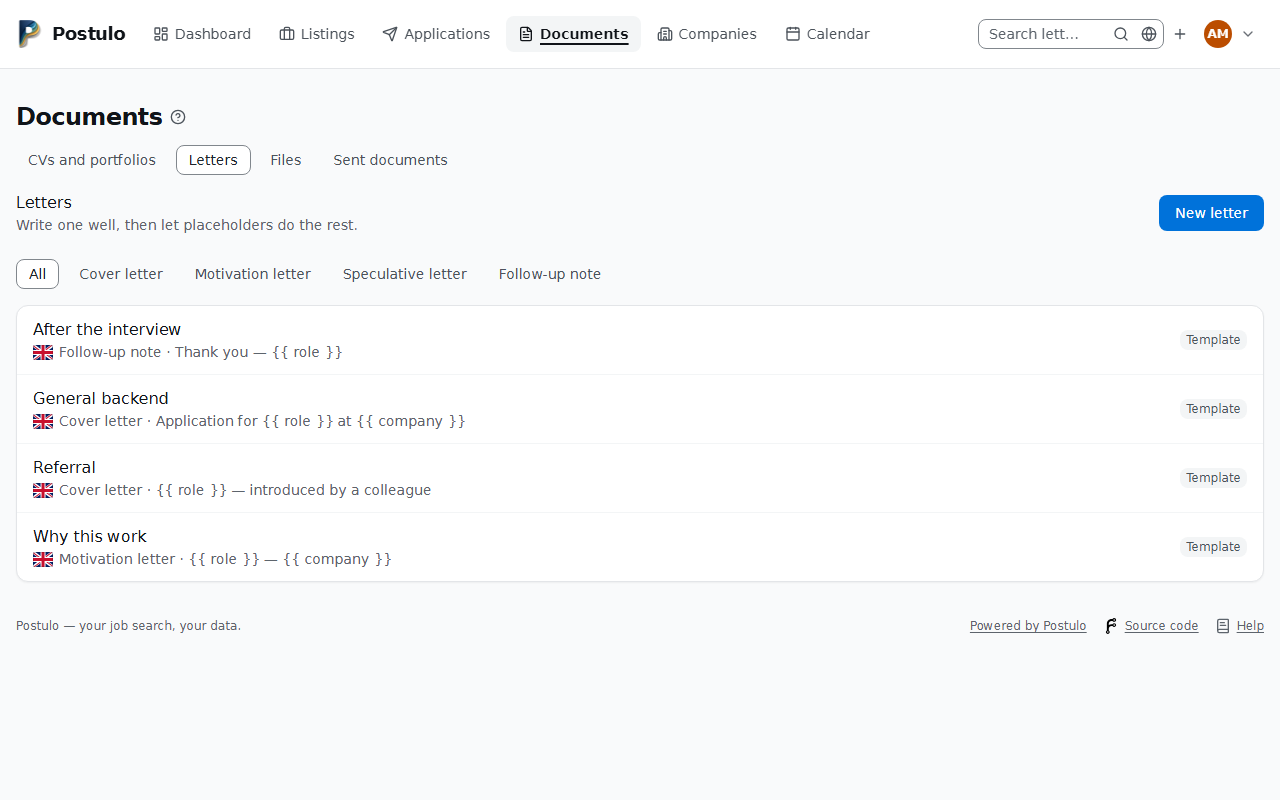
Documents → Letters, with the links to the other Documents lists along its top.
Write one good letter and let placeholders do the repetitive part.
Placeholders
Six, and only six:
| Placeholder | Filled with |
|---|---|
{{ company }} |
The company you are applying to |
{{ role }} |
The job title |
{{ location }} |
Where the role is based |
{{ contact }} |
The person you are writing to, if the application names one |
{{ name }} |
Your own name |
{{ date }} |
Today's date |
Spacing inside the braces does not matter: {{company}} and {{ company }} are the
same.
The first four come from the application the letter is being sent with, so the letter's page has a picker. Choose an application under Read it as they will and press Read it below: the preview under the letter's text is redrawn with everything filled in. Without one you are reading the version nobody sends. Open on its own gives the same document in a tab of its own.
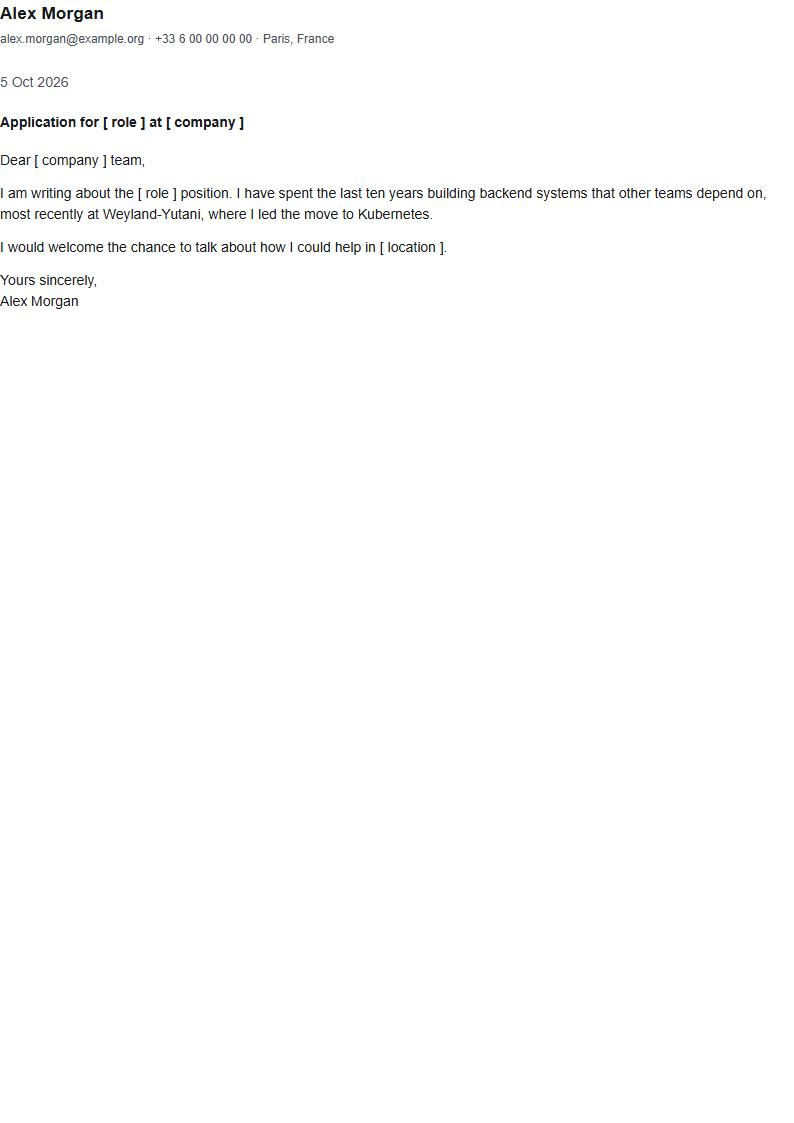
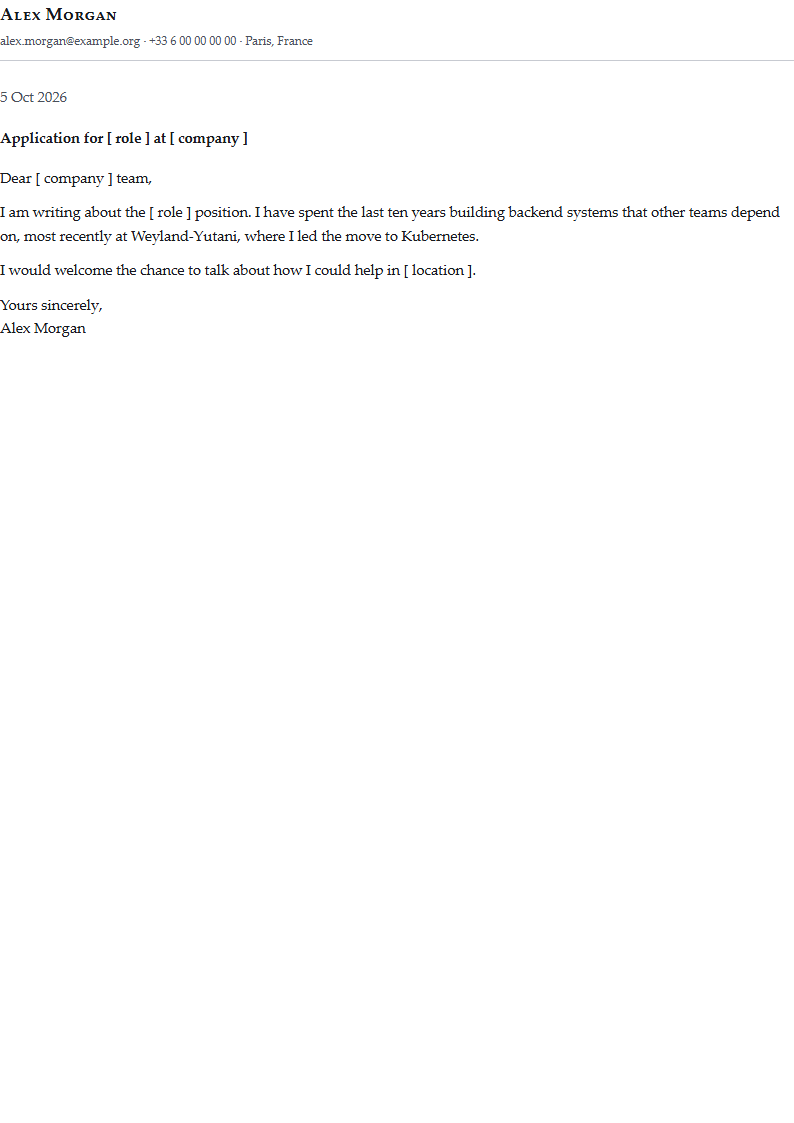
A placeholder with nothing behind it is marked in the preview, as [ location ] rather
than as a blank. A posting with no location, or an account with no name on it, would
otherwise leave a gap in the finished letter that you would find only after it had gone.
The marker is for reading: what gets frozen is the letter, gap and all.
Download draft PDF, under the picker, gives you the letter as the PDF it would be for the application you chose — or for none — with the same marks where there is nothing to fill in. It is for seeing the letter on its pages before deciding, and it keeps nothing: a draft is filed nowhere and sent to no store. A letter is filed when you record what you sent with an application, and what is filed then is the letter without the marks.
As a file. Under the picker, As a file downloads the letter as .odt, .docx or
.txt for the application you chose, with the placeholders filled in and nothing marked:
your contact block, the recipient, the date, the subject as the one heading, then the body.
The properties the file carries (title, author, subject, keywords, language) are shown and
can be changed or left out, as on a CV; see
What the file says about itself.
What they start as for every file is set under Settings → Export; see
What the file says about itself.
A misspelt placeholder is left visible rather than silently blanked, so {{ compnay }}
appears as-is in the draft. That is deliberate: quietly deleting a word would be worse
than showing you the typo.
Before a letter is frozen
Record what you sent shows you the filled letter before freezing it, but only where something in it is empty: it names what will go out blank, shows the text with the gaps marked, and the button becomes Freeze it anyway. Where nothing is missing there is no extra step, because one everybody has to press through is read once and clicked past for ever after.
The versions you sent
A letter's page lists every version recorded as sent, newest first, with the application it went with. Compare with previous shows what changed between one version and the one sent before it from the same letter, line by line — see Comparing two versions.
A letter has always kept the text it was sent as, placeholders filled in, so every version of a letter can be compared, including those sent before this release. What differs between two applications is often only the employer's name and the role, and the comparison shows exactly that.
Why only six
A cover letter is text you wrote, and it usually contains fragments pasted from a job advert. Postulo substitutes placeholders with a simple pattern match over that fixed list of names — it does not run your letter through a template engine. A general-purpose expression language inside a document that carries employer-supplied text would be a liability rather than a feature.
If you paste something containing template syntax, it comes out as exactly the text you pasted.
Templates
Letters marked reusable template are offered when you record what you sent with an application. Untick it for a one-off letter written for a single employer.
Language
A letter has a language, and the PDF says so. It matters more than it sounds: the file you send is one a recruiter may open with a screen reader, and a Portuguese letter declaring itself English is read aloud with English letter-to-sound rules. The renderer hyphenates and justifies by the same declaration.
Leave it blank and the letter follows the language you read Postulo in, which is the right guess far more often than English is. Set it when you write to an employer in a language that is not your own. CVs have the same field, and behave the same way.
The list and the letter's own page show which language it is, as a flag beside its kind, or the language's own name where no flag stands for it.
Themes
The same two as CVs — Plain and Classic — laid out as a letter: your contact block, the recipient, the date, a subject line, then the body. A plugin may add others, and the menu here lists exactly the ones that can set a letter — which is not always the same list the CV form shows. See Themes.